Anomaly Detection
Anomaly Detection is like finding something really different in a bunch of regular stuff. It's used to spot rare or strange things in data, which can be important for various things like catching problems or preventing fraud.
1 Go to Dashboard > Security Defenses.
2 Click on the Anomaly Detection tab.
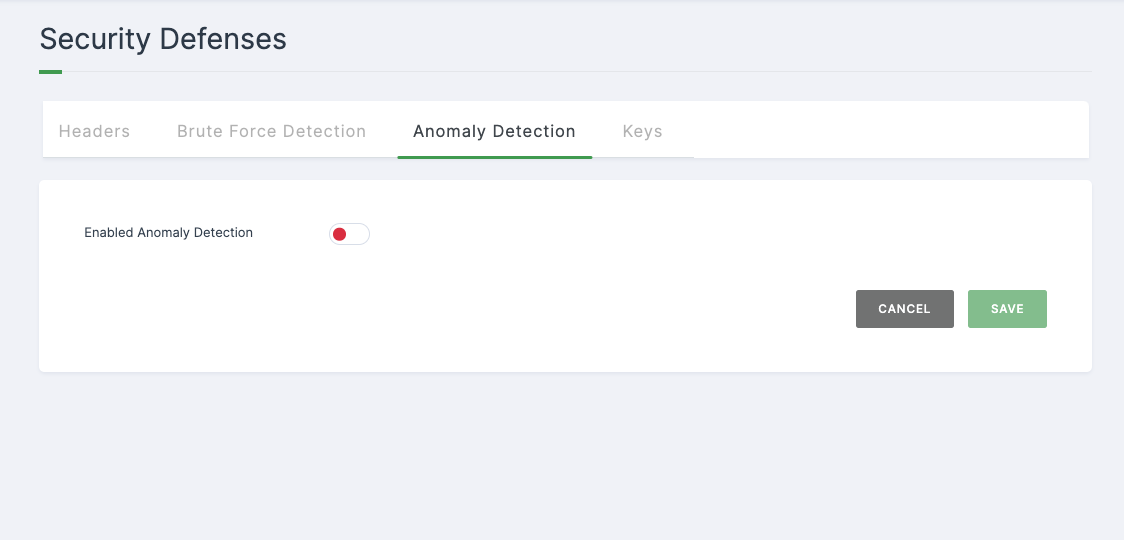
3 Toggle the Enable button to turn on the functionality it represents.
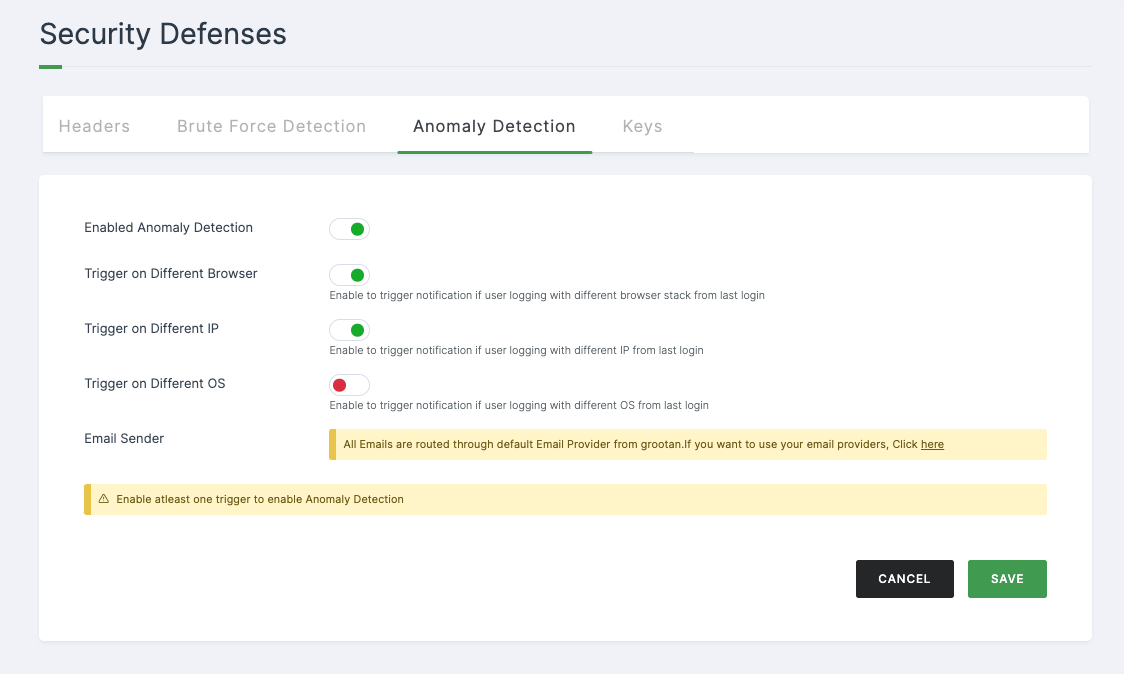
4 You will be displayed with various different configurations. Configure the required fields.
Configuration
| Attributes | Description |
|---|---|
| Enable Anomaly Detection | It is highly suggested to enable all the toggles to get notifications if suspicious behaviour or is identified. |
| Trigger on Different Browser | Activate to receive notifications when a user logs in with a different browser compared to their last login. |
| Trigger on Different IP | Activate to receive notifications when a user logs in with a different IP address compared to their last login. |
| Trigger on Different OS | Activate to receive notifications when a user logs in with a different operating system compared to their last login. |
| Email Sender | You can choose your custom provider or go with the default provider. |
6 Click on SAVE.